(Note: Due to NDA restrictions, I’ve removed the Organization name and LOGO from this project to maintain confidentiality)
(Note: Due to NDA restrictions, I’ve removed the Organization name and LOGO from this project to maintain confidentiality)
(Note: Due to NDA restrictions, I’ve removed the Organization name and LOGO from this project to maintain confidentiality)
MY ROLE
MY ROLE
MY ROLE
Senior User Experience
Designer
Senior User Experience
Designer
Senior User Experience
Designer
Design system audit
Design system audit
Design system audit
component creation
component creation
component creation
documentation
documentation
documentation
developer handoff
developer handoff
developer handoff
BUSINESS CHALLENGE
BUSINESS CHALLENGE
BUSINESS CHALLENGE
How might we evolve Design System 1.0 into a scalable and structured Design System 2.0
that improves consistency, governance, and long-term adoption as the product grows?
How might we evolve Design System 1.0 into a scalable and structured Design System 2.0 that improves consistency, governance, and long-term adoption as the product grows?
How might we evolve Design System 1.0 into a scalable and structured Design System 2.0
that improves consistency, governance, and long-term adoption as the product grows?
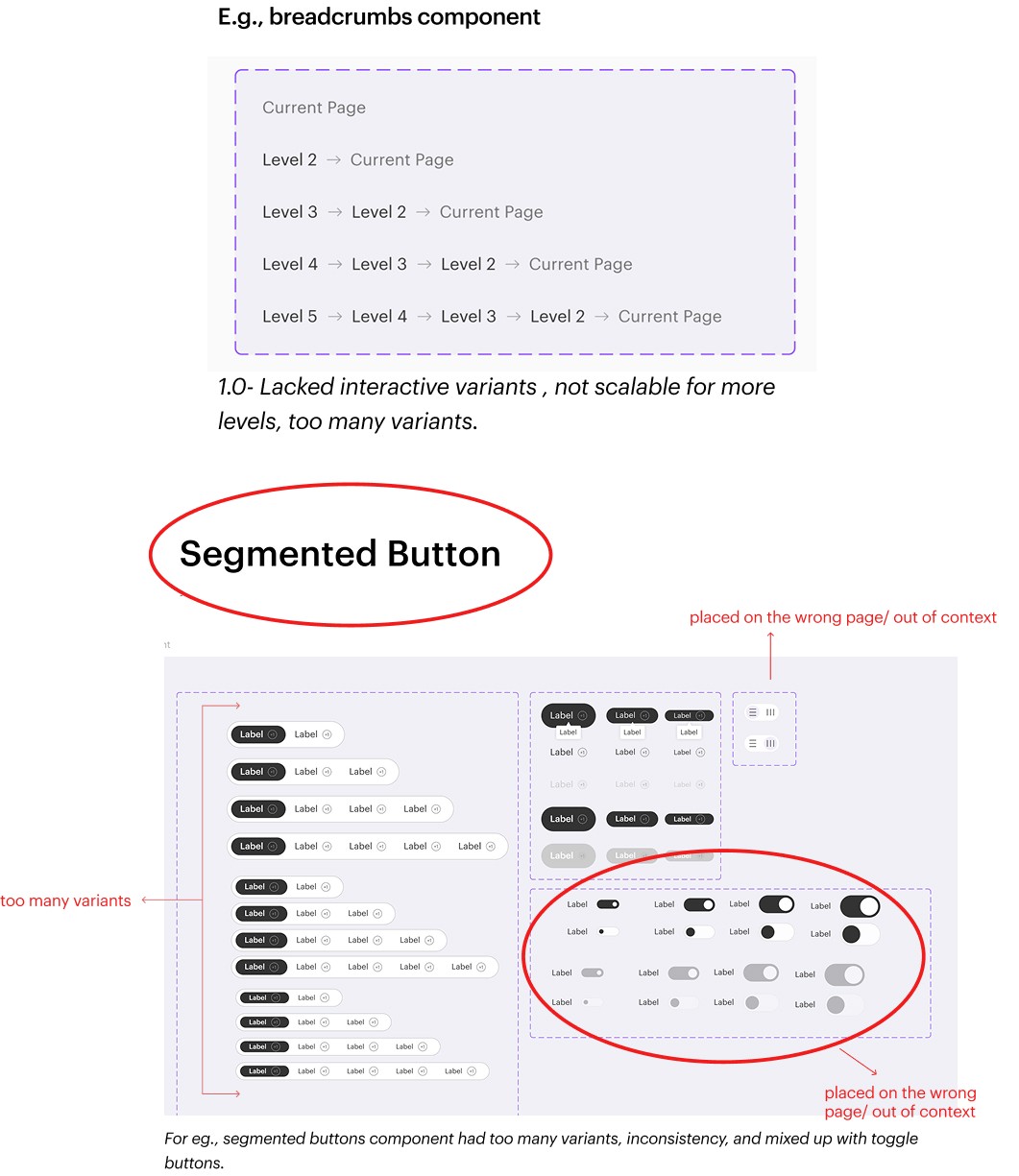
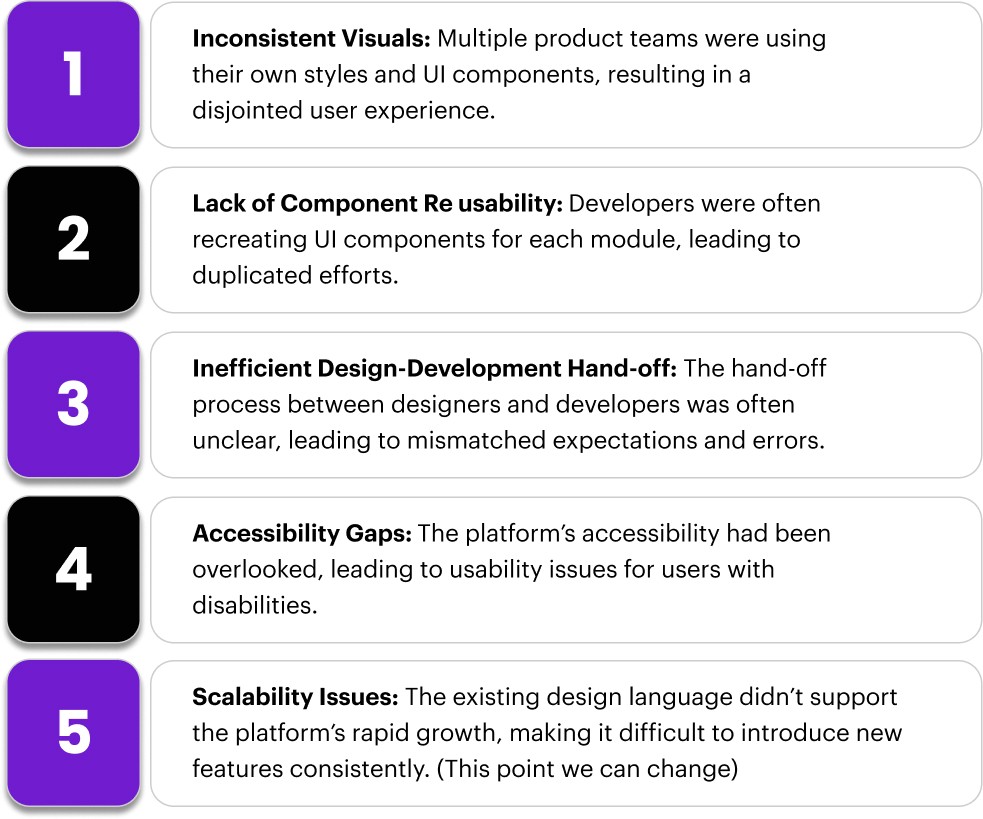
Inconsistent naming, properties, and components
Too many duplicates and unused variants
Scaling Limitations
No documentation and usage guidelines
Inconsistent naming, properties, and components
Too many duplicates and unused variants
Scaling Limitations
No documentation and usage guidelines
Inconsistent naming, properties, and components
Too many duplicates and unused variants
Scaling Limitations
No documentation and usage guidelines
KEY CHALLENGES
KEY CHALLENGES
KEY CHALLENGES
Version 1.0 Design System
Version 1.0 Design System
Version 1.0 Design System
Information Architecture
Information Architecture
Information Architecture
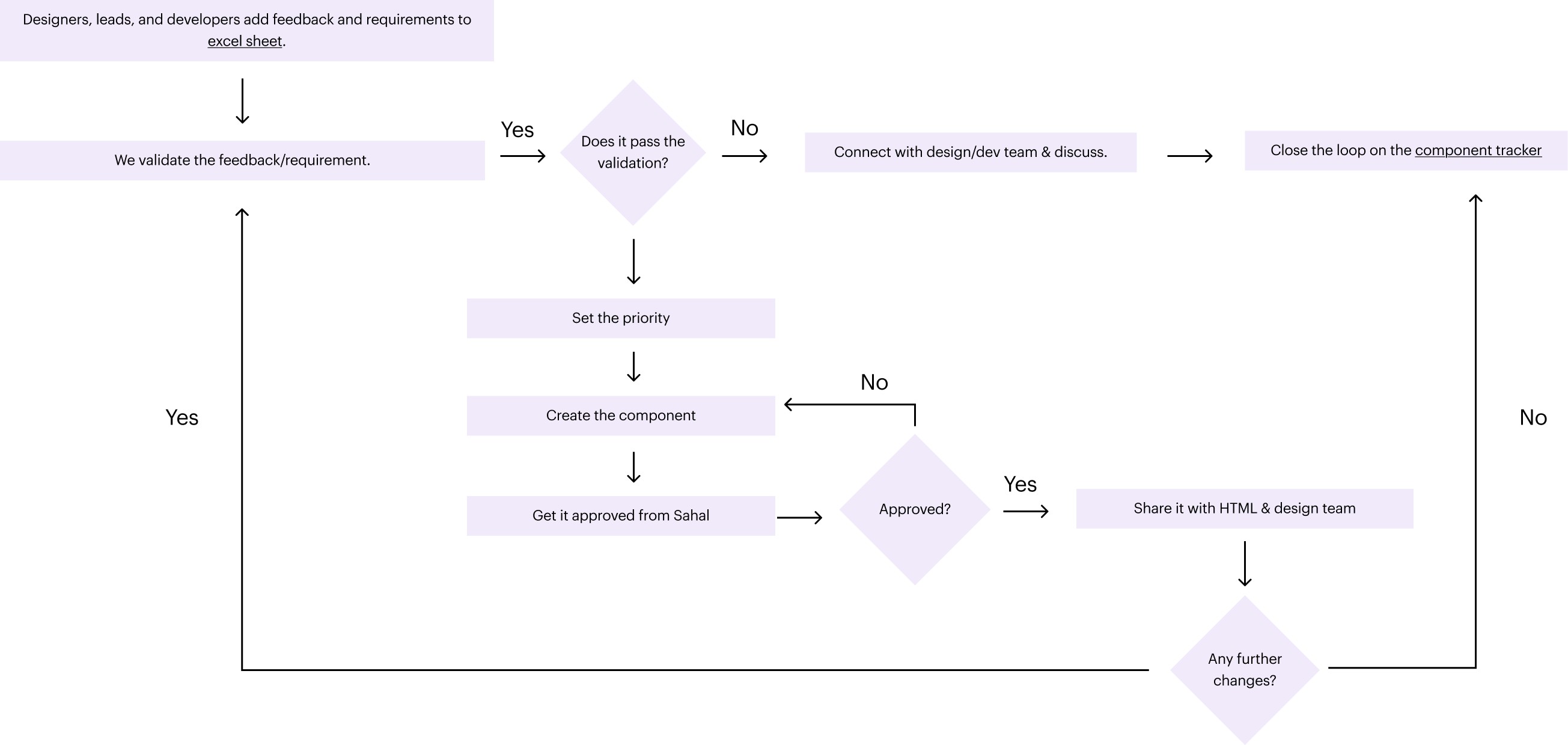
Component Design Process
Component Design Process
Daily updates and enhancements based on feedback received
Brainstorming sessions
Twice a week design system cadence
Constant discussions and iterations
Daily updates and enhancements based on feedback received
Brainstorming sessions
Twice a week design system cadence
Constant discussions and iterations
Daily updates and enhancements based on feedback received
Brainstorming sessions
Twice a week design system cadence
Constant discussions and iterations
Key ACTIONS
Key ACTIONS
Key ACTIONS
Actions taken to evolve the design system:
Actions taken to evolve the design system:
Actions taken to evolve the design system:
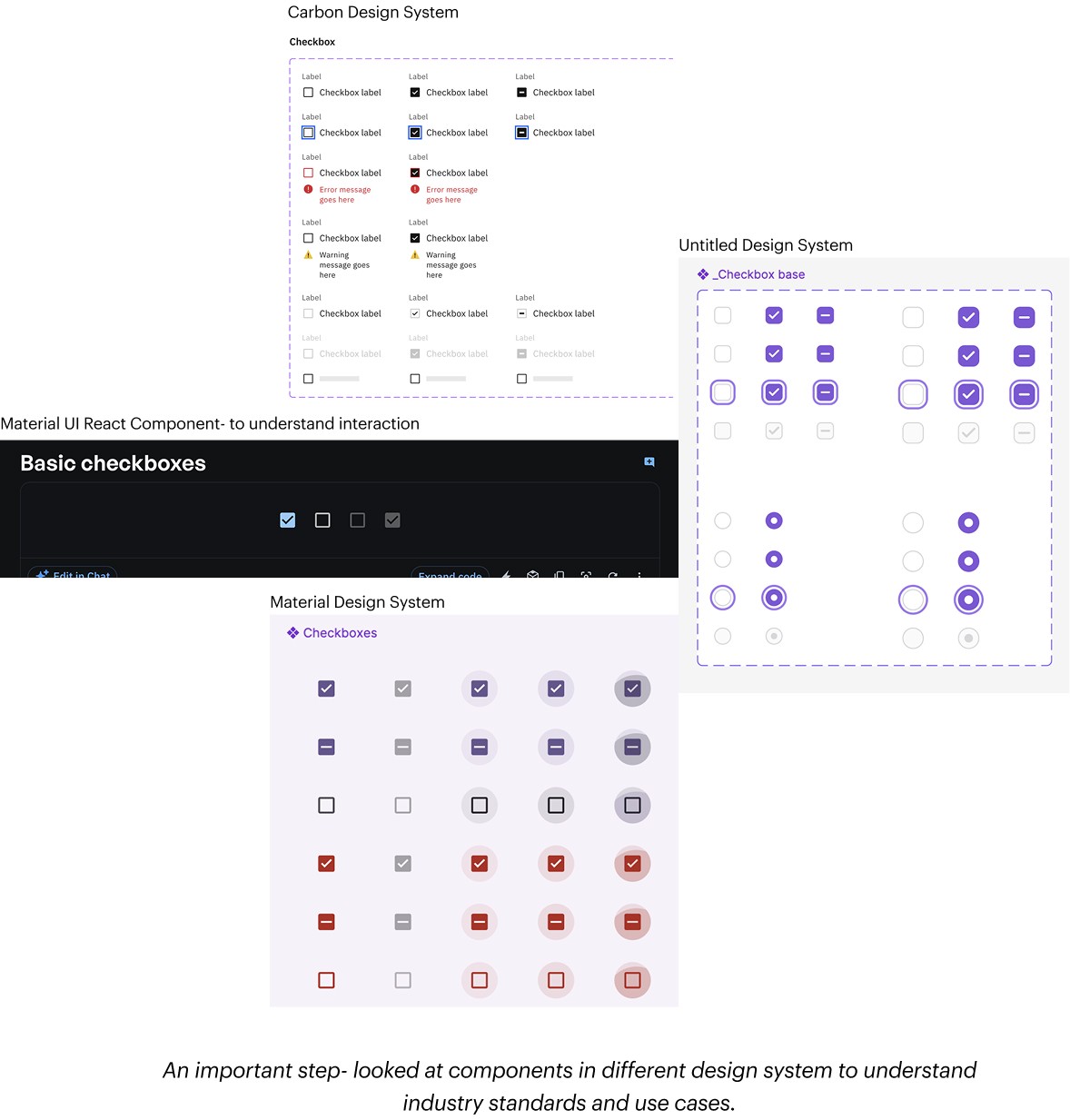
Audited the existing design system
Rebuilt the foundation using tokens & variables
Standardized components, variants, and behaviors
Added missing states and real-world scenarios
Introduced documentation and sample pages
Made the system scalable, accessible, and client-ready
Audited the existing design system
Rebuilt the foundation using tokens & variables
Standardized components, variants, and behaviors
Added missing states and real-world scenarios
Introduced documentation and sample pages
Made the system scalable, accessible, and client-ready
Audited the existing design system
Rebuilt the foundation using tokens & variables
Standardized components, variants, and behaviors
Added missing states and real-world scenarios
Introduced documentation and sample pages
Made the system scalable, accessible, and client-ready
Final OUTCOME
Final OUTCOME
Final OUTCOME
Design System 2.0 with Components and varients
Design System 2.0 with Components and varients
Design System 2.0 with Components and varients
Colors
Colors
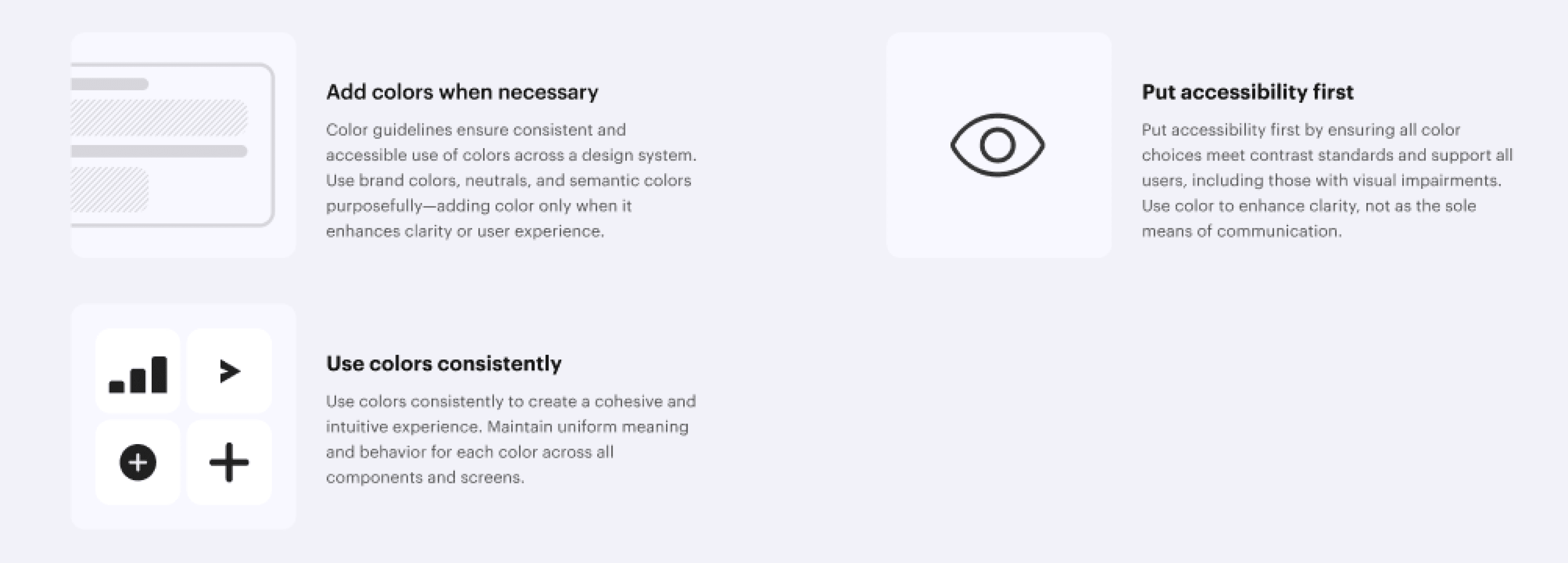
Design System 2.0 colour says true and aligned to the brand guidelines. In addition, we have some extended color palettes for our products.
Design System 2.0 colour says true and aligned to the brand guidelines. In addition, we have some extended color palettes for our products.
Design System 2.0 colour says true and aligned to the brand guidelines. In addition, we have some extended color palettes for our products.
Our colour palette ensure consistent, accessible, and brand-aligned use of color across a design system. They define structure palettes, usage, rules, and theming for a cohensive user experience.
Our colour palette ensure consistent, accessible, and brand-aligned use of color across a design system. They define structure palettes, usage, rules, and theming for a cohensive user experience.
Our colour palette ensure consistent, accessible, and brand-aligned use of color across a design system. They define structure palettes, usage, rules, and theming for a cohensive user experience.
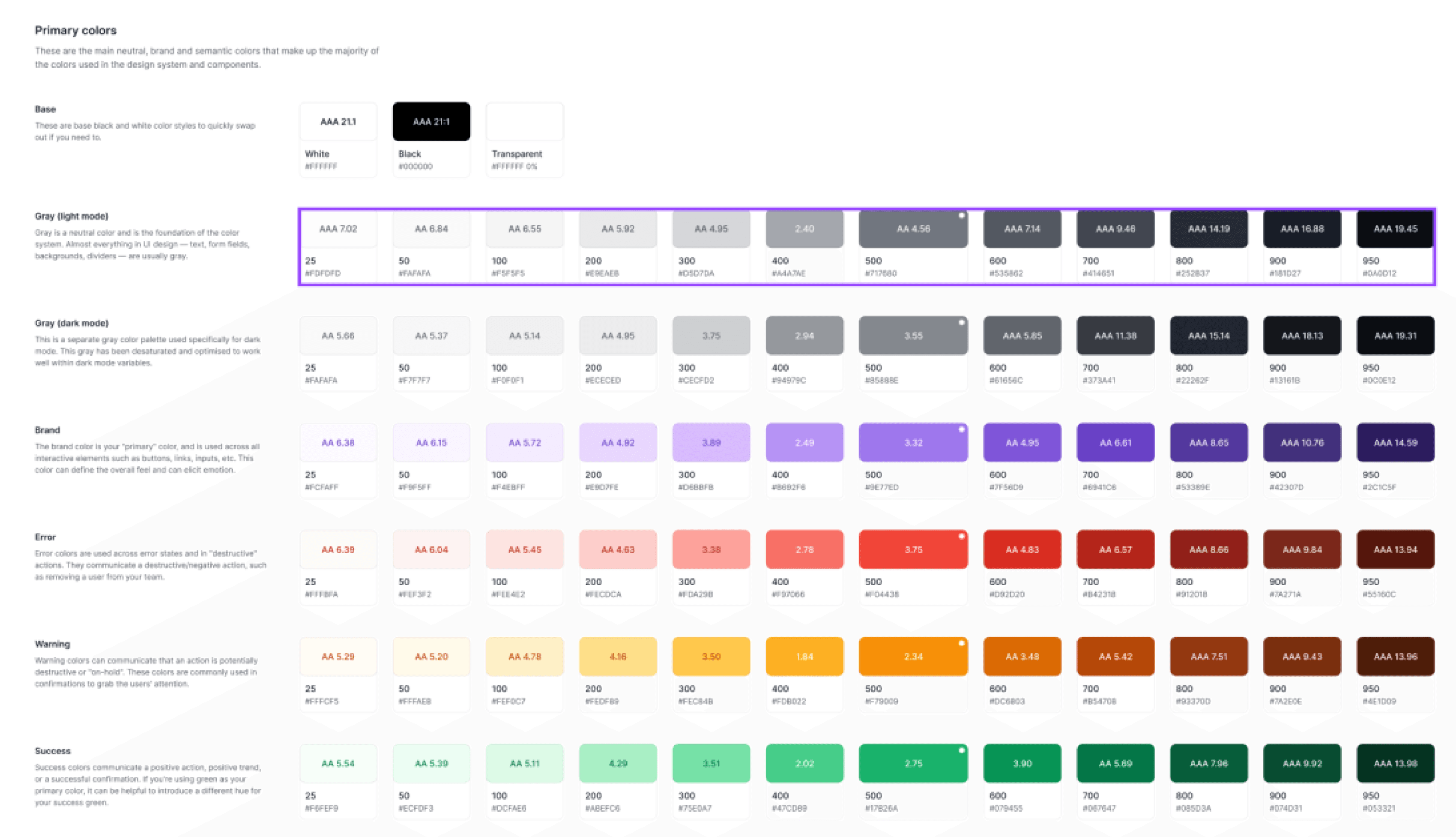
Our design system leverages a purposeful set of color styles as the perfect starting point for any brand or project. When it comes to color, contrast is critical for ensuring text is legible. We’ve added WCAG 2.2 Contrast ratios to our color system so you can make sure you’re designing with accessibility in mind.
Our design system leverages a purposeful set of color styles as the perfect starting point for any brand or project. When it comes to color, contrast is critical for ensuring text is legible. We’ve added WCAG 2.2 Contrast ratios to our color system so you can make sure you’re designing with accessibility in mind.
Our design system leverages a purposeful set of color styles as the perfect starting point for any brand or project. When it comes to color, contrast is critical for ensuring text is legible. We’ve added WCAG 2.2 Contrast ratios to our color system so you can make sure you’re designing with accessibility in mind.
Iconography
Iconography
Iconography
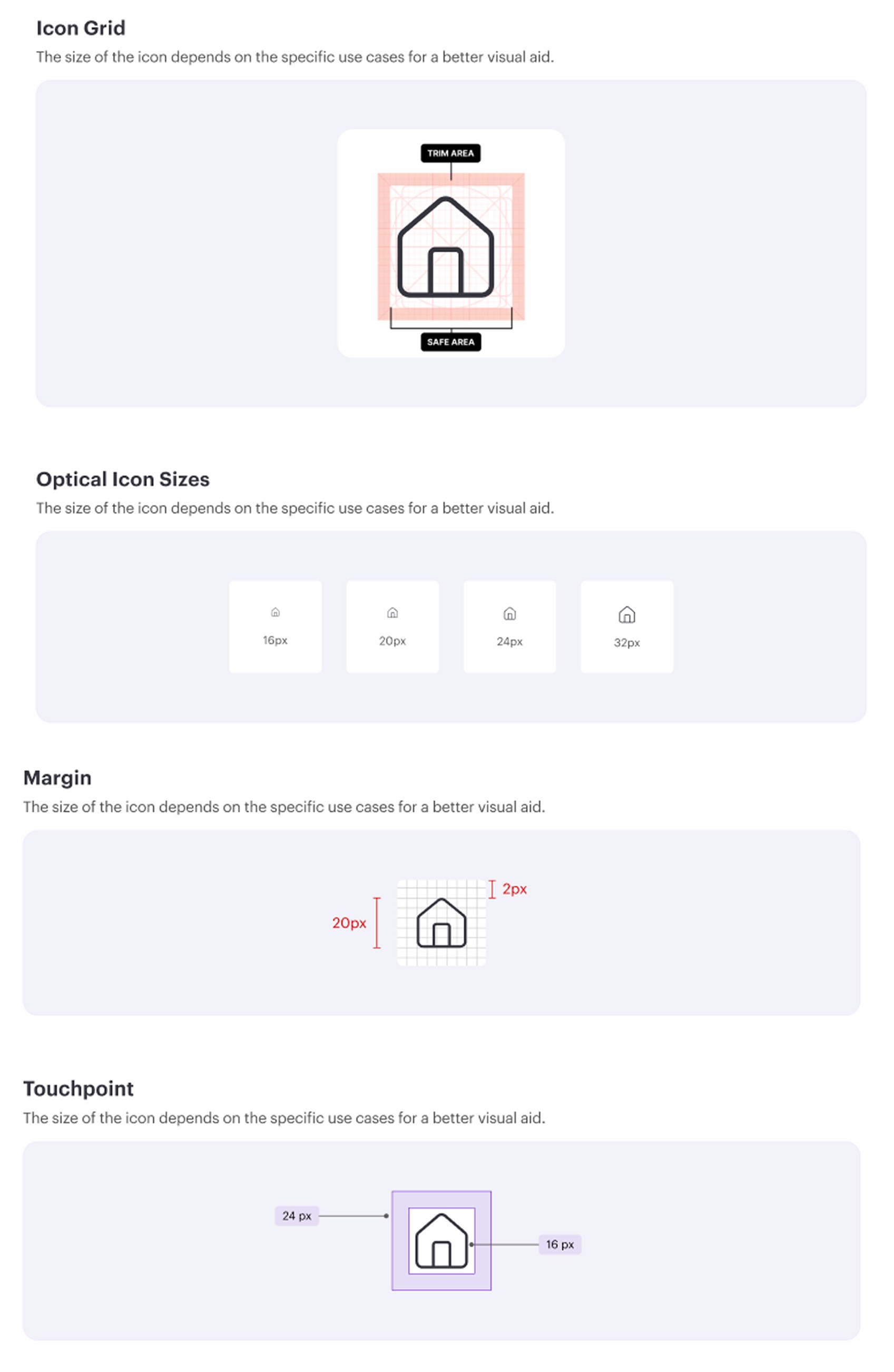
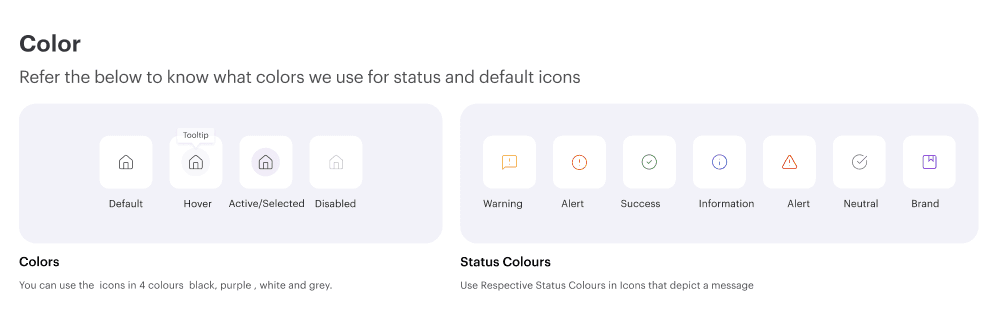
Icons are visual symbols used to represent features, actions, or types of content.
Icons are visual symbols used to represent features, actions, or types of content.
Icons are visual symbols used to represent features, actions, or types of content.
Button
Button
Button
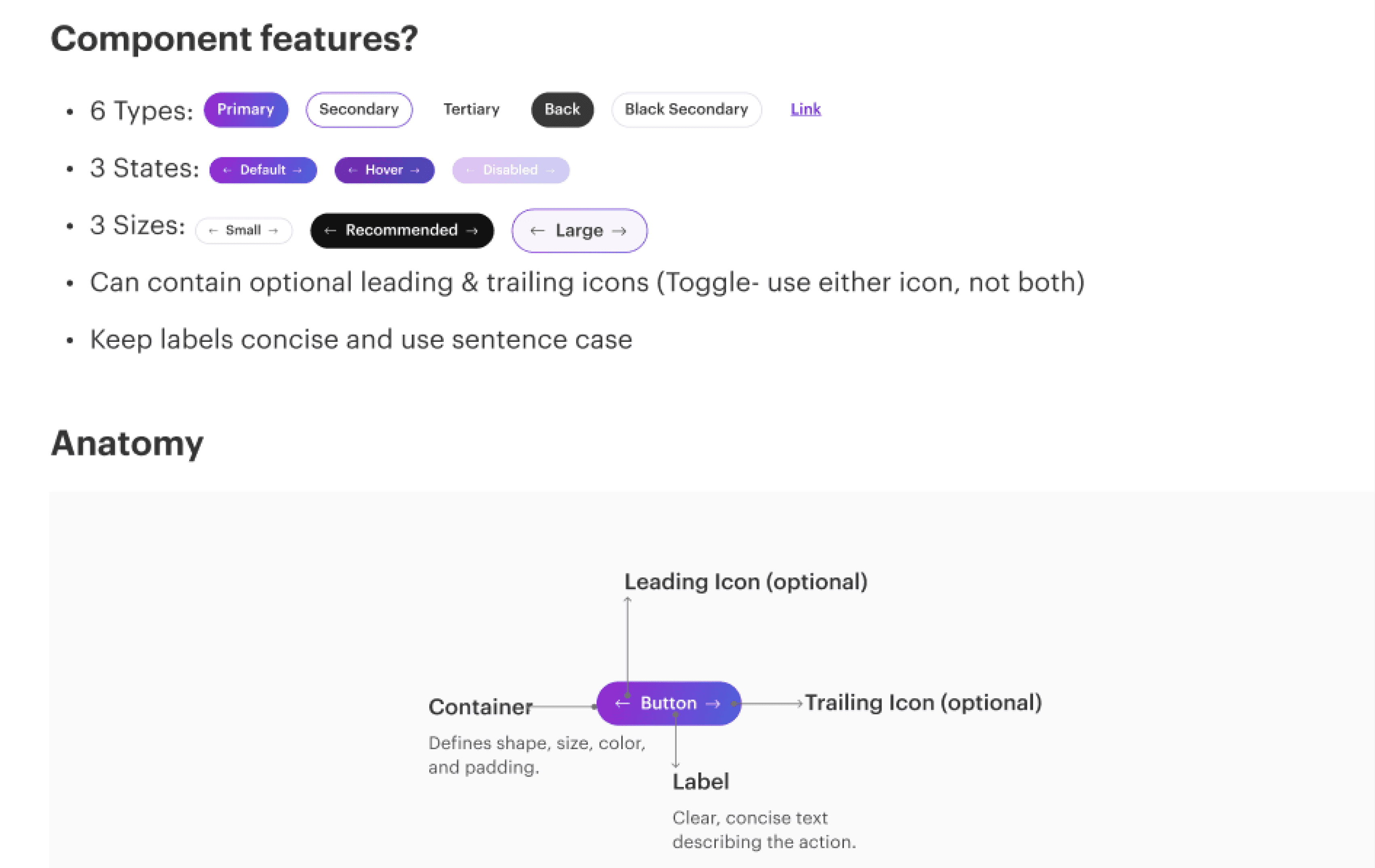
Buttons allow users to perform different actions and interact with the application. Design System 2.0 offers a structure set of button styles to meet functional and visual needs.
Buttons allow users to perform different actions and interact with the application. Design System 2.0 offers a structure set of button styles to meet functional and visual needs.
Buttons allow users to perform different actions and interact with the application. Design System 2.0 offers a structure set of button styles to meet functional and visual needs.

Status Pills
Status Pills
Status Pills
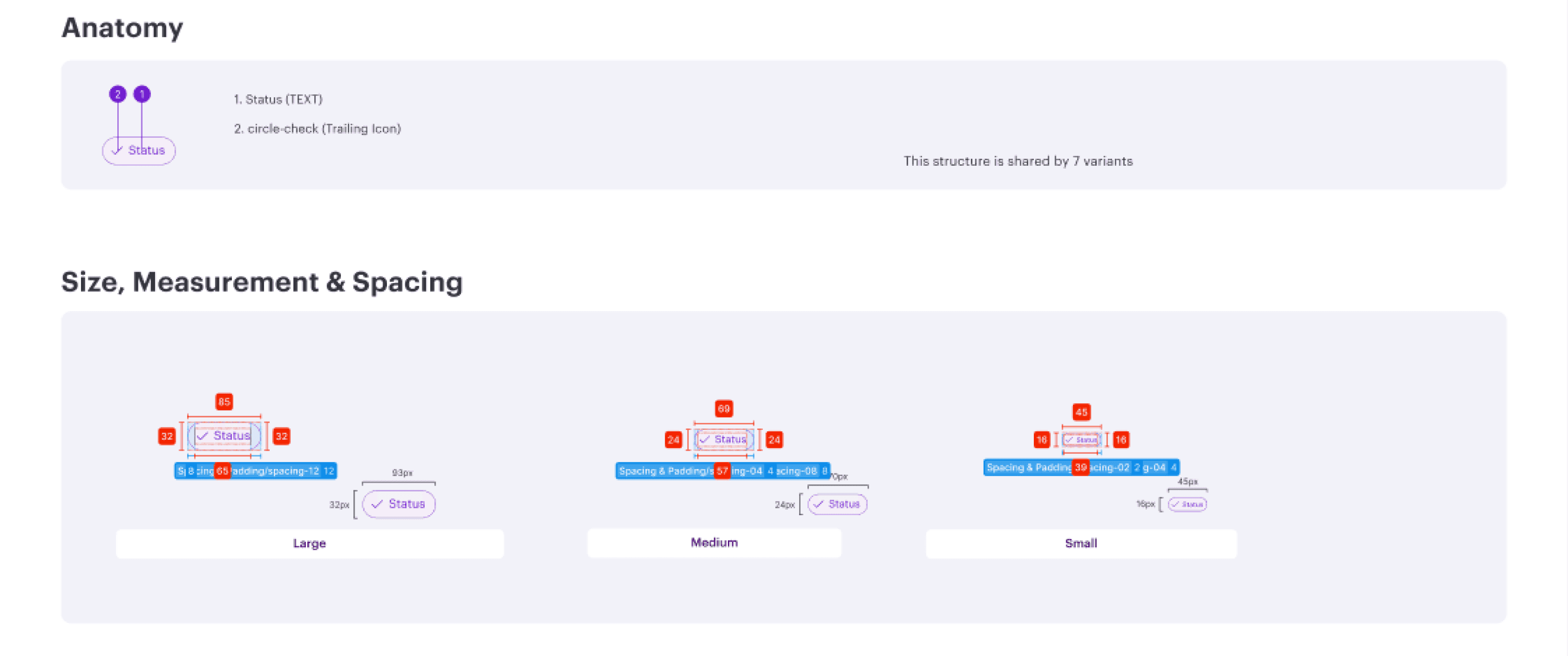
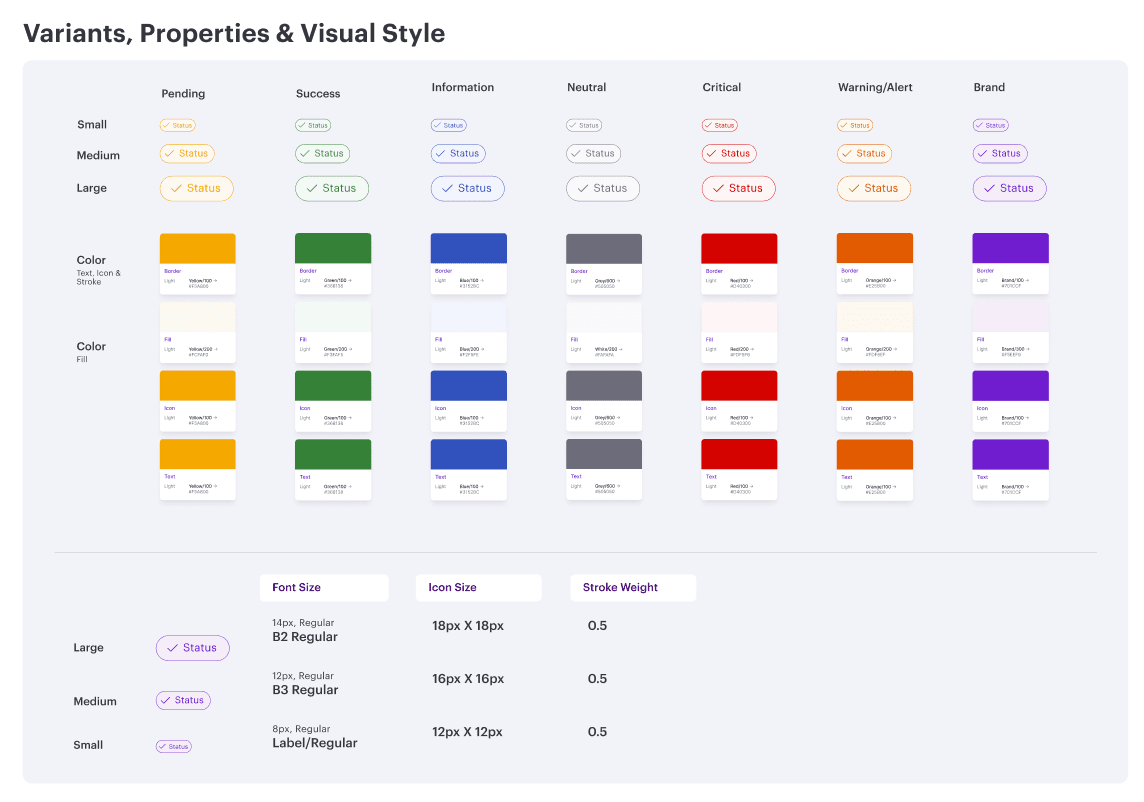
Status pills are read-only visual tags used to display categories, states or metadata. They are non-interactive and provide quick info in an interface.
Status pills are read-only visual tags used to display categories, states or metadata. They are non-interactive and provide quick info in an interface.
Status pills are read-only visual tags used to display categories, states or metadata. They are non-interactive and provide quick info in an interface.
Grid
Grid
Grid
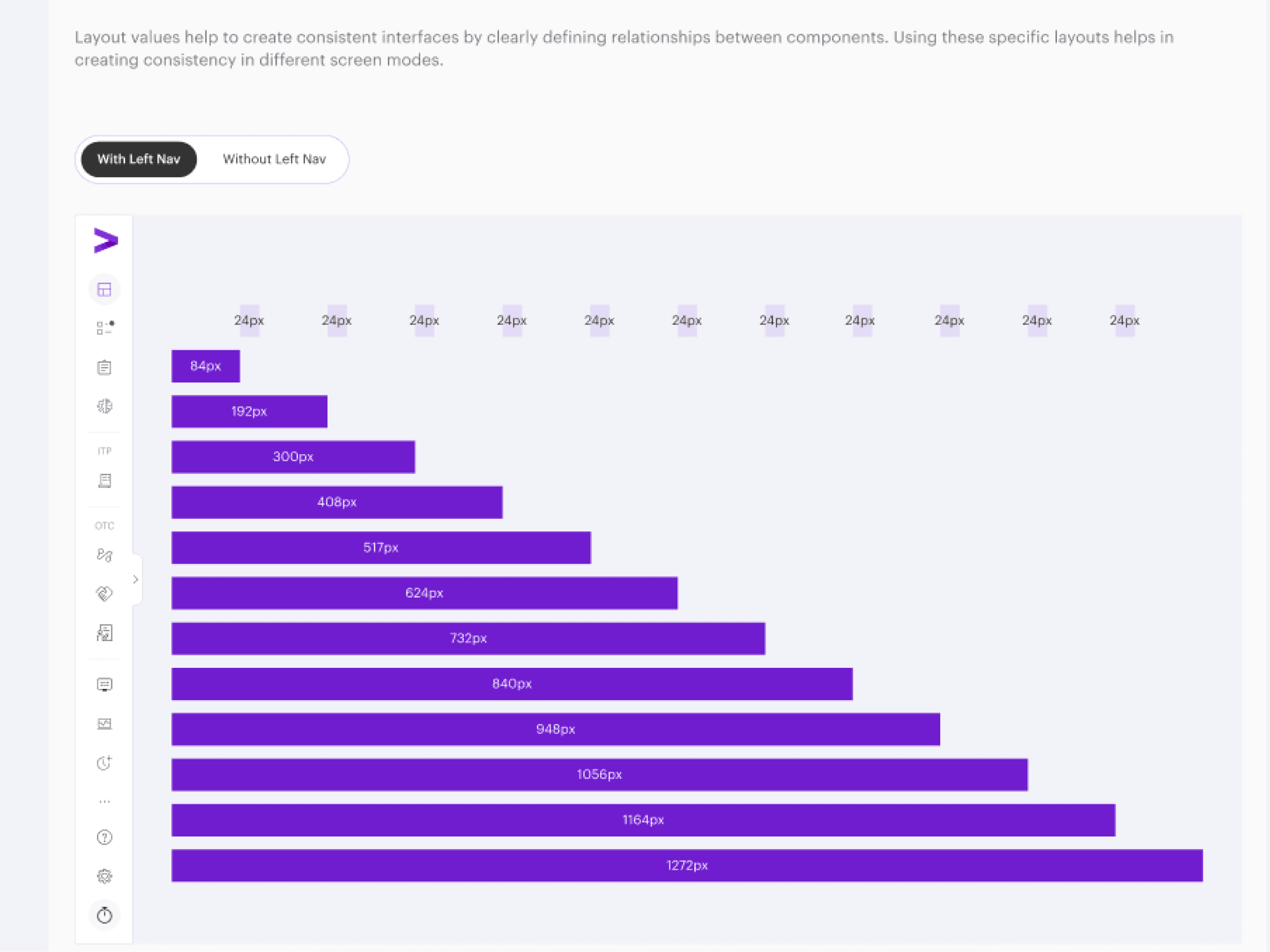
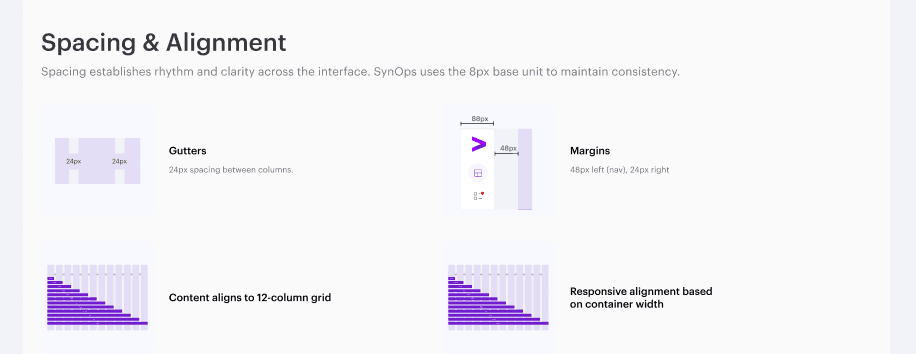
The grid defines the structure that supports all visual components in DS 2.0. It creates predictable layouts by using uniform colums, spacing and alignement rules. These structural patterns ensure consistency across platforms,environments, and screen sizes.
The grid defines the structure that supports all visual components in DS 2.0. It creates predictable layouts by using uniform colums, spacing and alignement rules. These structural patterns ensure consistency across platforms,environments, and screen sizes.
The grid defines the structure that supports all visual components in DS 2.0. It creates predictable layouts by using uniform colums, spacing and alignement rules. These structural patterns ensure consistency across platforms,environments, and screen sizes.
Comparison
Comparison
Comparison
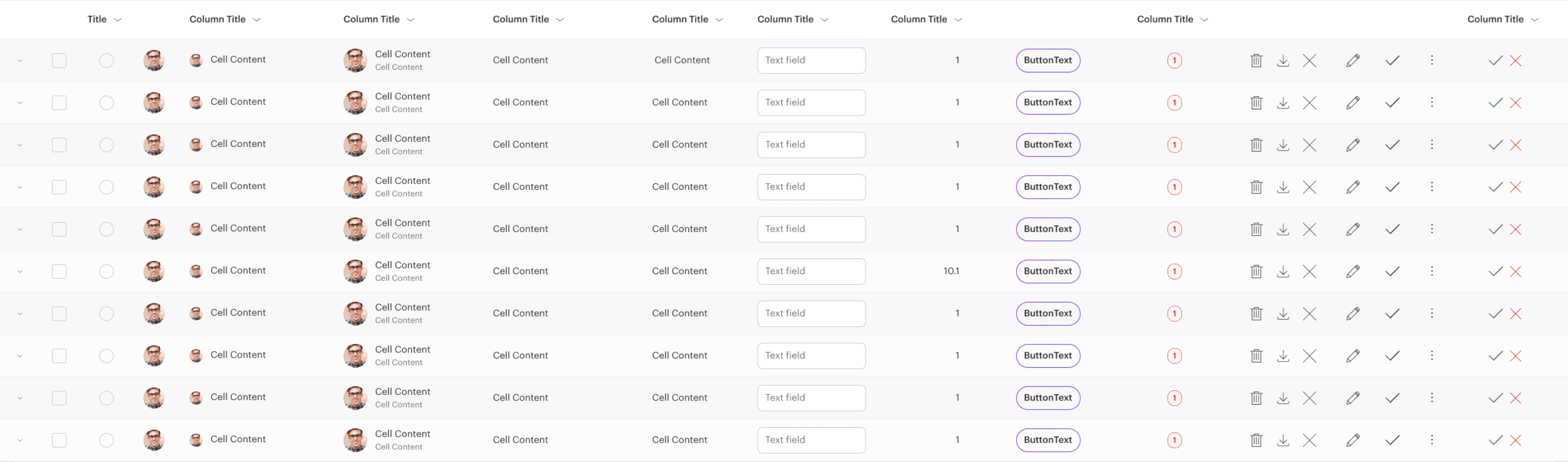
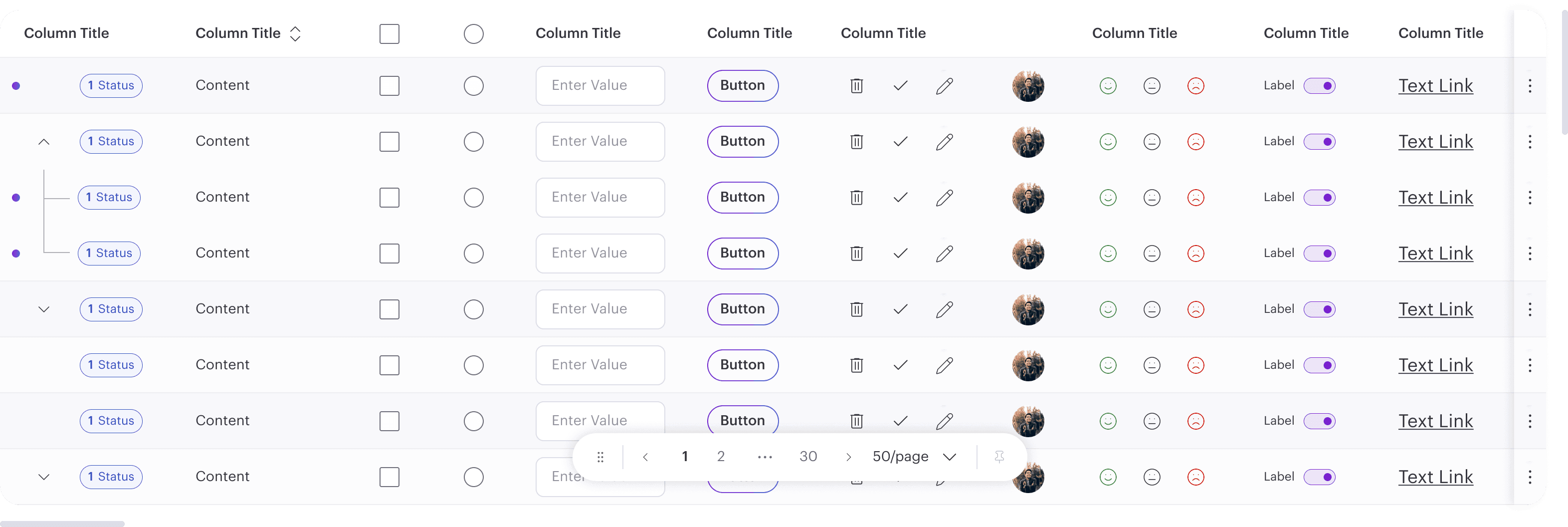
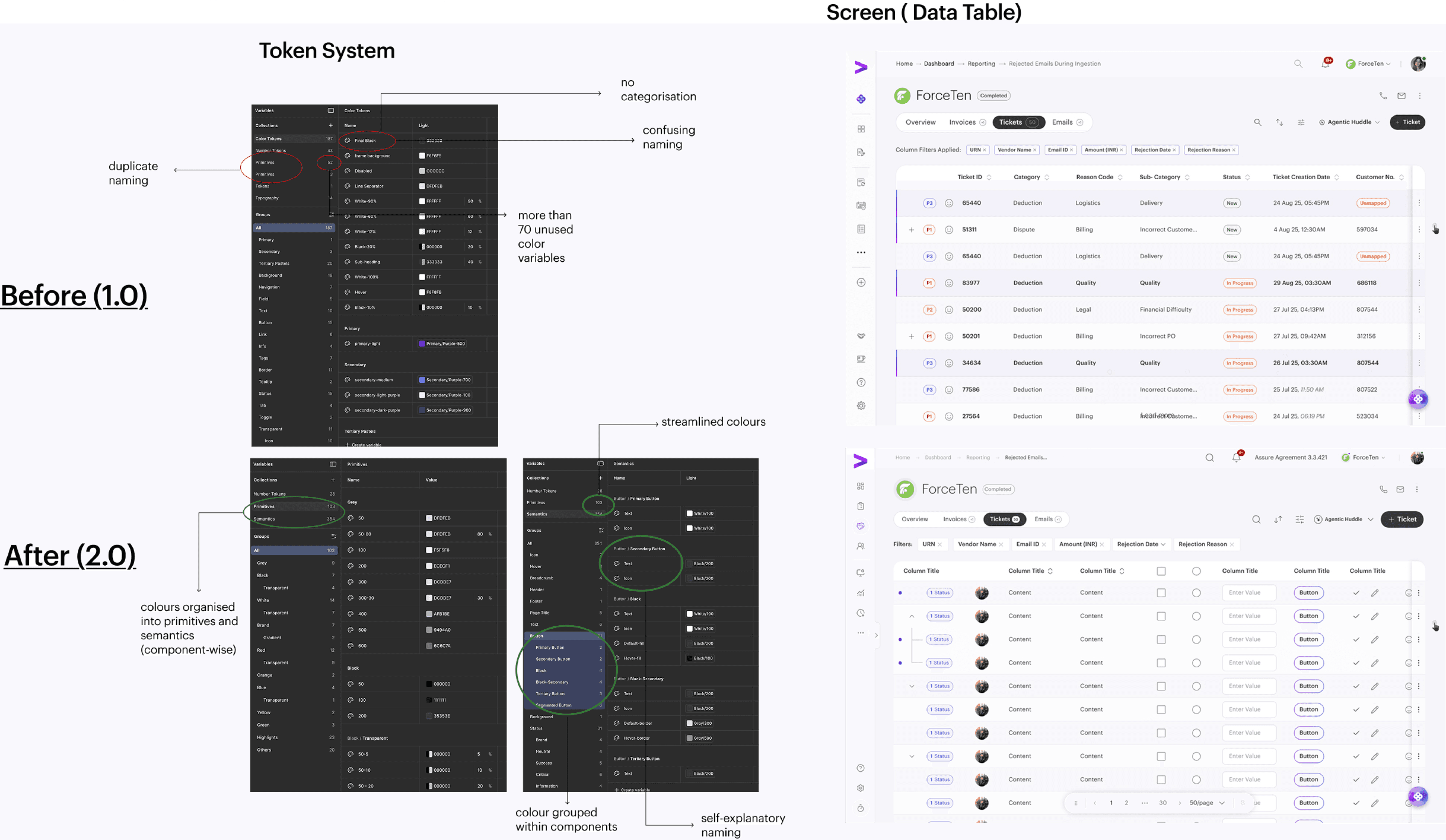
Component example driving impact
Component example driving impact
Component example driving impact
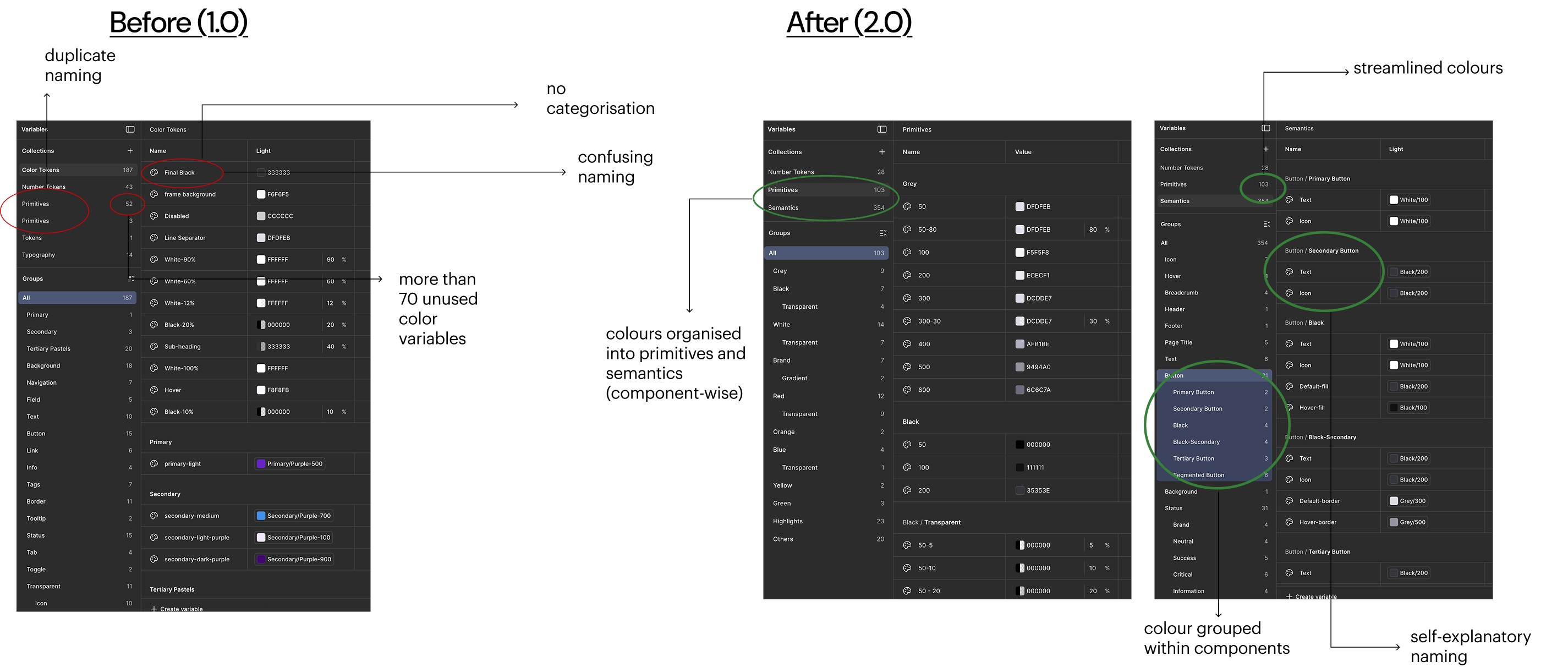
Before (1.0)
Before (1.0)
Before (1.0)
After (2.0)
After (2.0)
After (2.0)
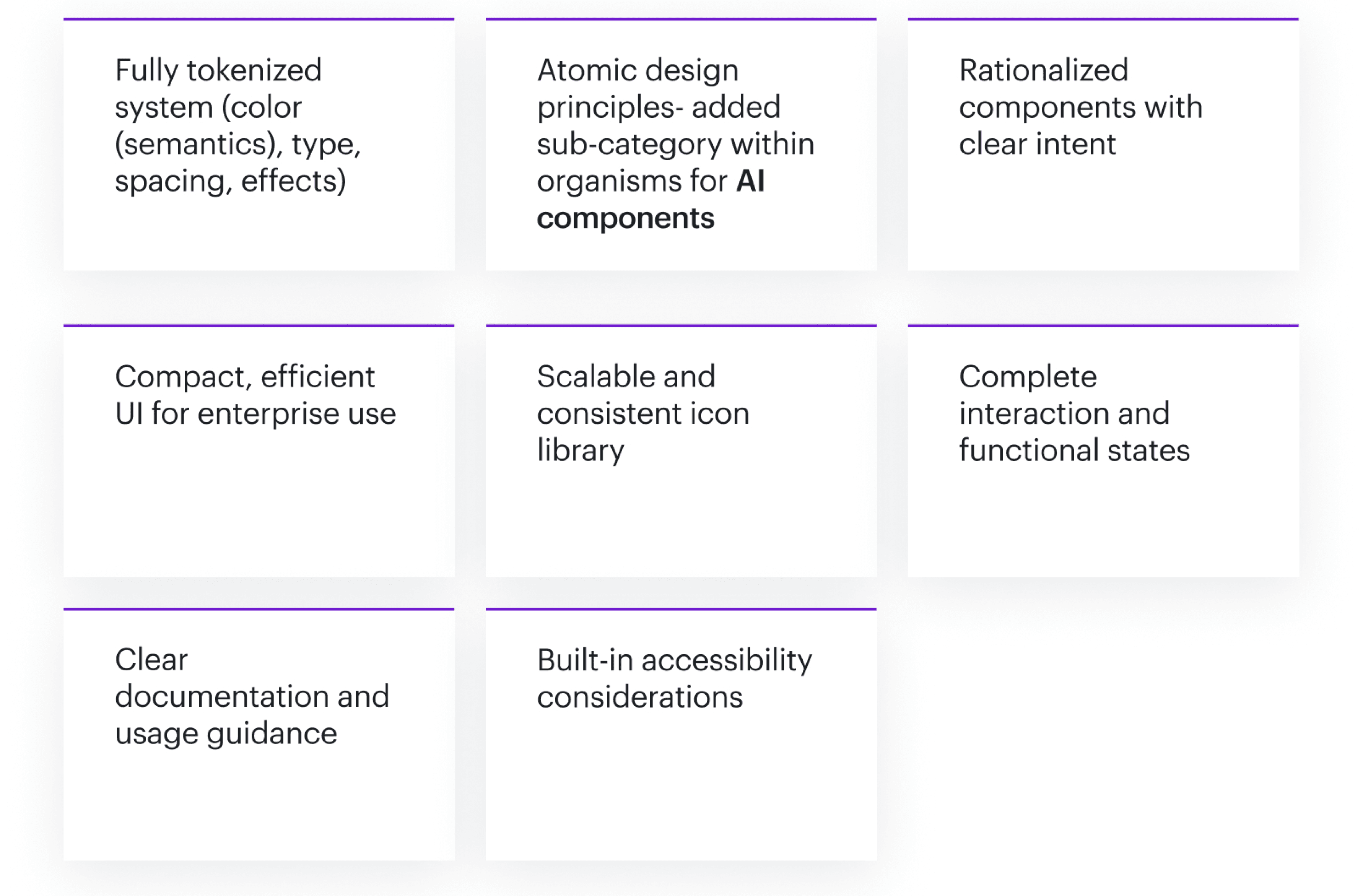
Key features of Design System 2.0
Key features of Design System 2.0
Key features of Design System 2.0
Impact
Impact
Impact
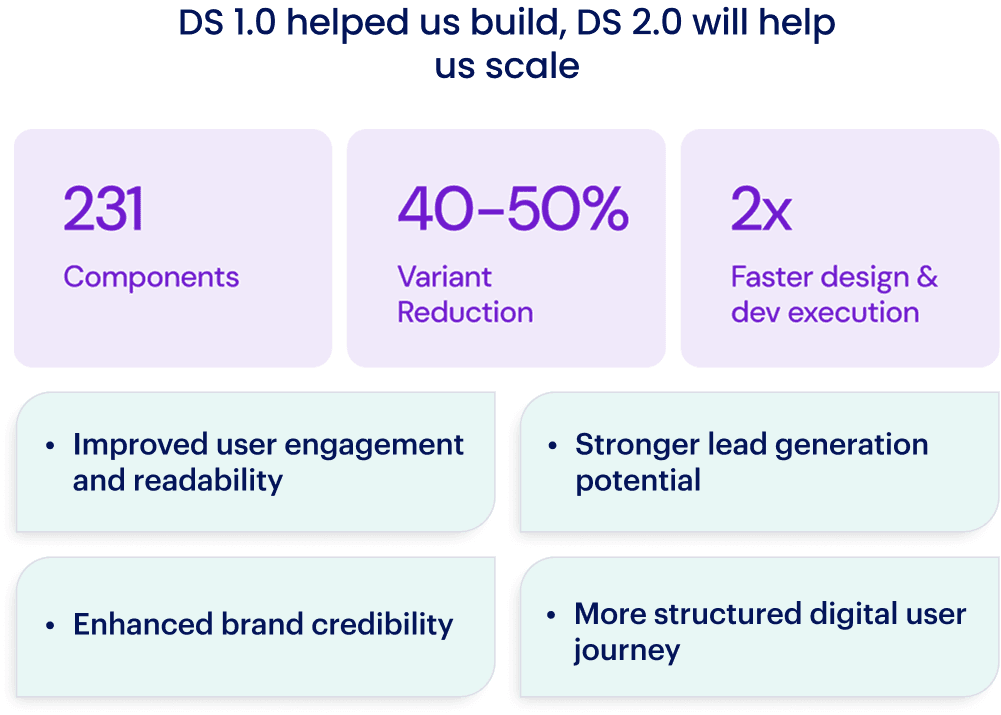
DS 2.0 drives Positive impact with speed, efficiency & Scale
DS 2.0 drives Positive impact with speed, efficiency & Scale
DS 2.0 drives Positive impact with speed, efficiency & Scale
Faster time to market
Reduced long-term maintenance cost
Stronger foundation for scale & AI
Improves ROI of design investments
Allows new features to build on reusable system logic
Enables faster adoption of iterative changes
Faster time to market
Reduced long-term maintenance cost
Stronger foundation for scale & AI
Improves ROI of design investments
Allows new features to build on reusable system logic
Enables faster adoption of iterative changes
Faster time to market
Reduced long-term maintenance cost
Stronger foundation for scale & AI
Improves ROI of design investments
Allows new features to build on reusable system logic
Enables faster adoption of iterative changes